Response View
The editor and the request list show responses in the same view. Both send requests through the same runner as lazyapi run, so they show the same checks.
Status line
200 OK · 41 ms · 1.2 KB · ✓ 3 checks. The badge is colored by status class: green 2xx, blue 3xx, peach 4xx, red 5xx. A request that never got a response shows ERROR and the reason. While a request is in flight, a spinner is shown; esc cancels.
Tabs
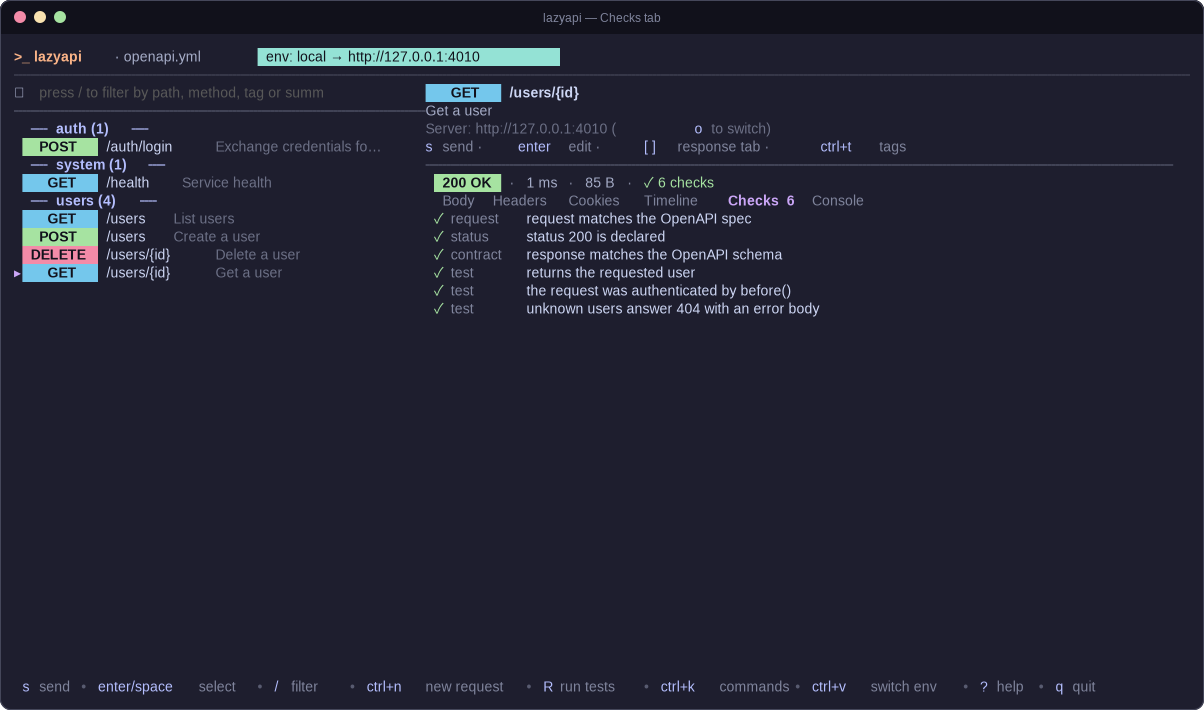
| Tab | Content |
|---|---|
| Body | Pretty-printed and syntax-highlighted (JSON, YAML, XML, HTML, JS, CSS). JSON keeps key order and is not HTML-escaped. r shows the raw body |
| Headers | The request that was sent (URL, headers with secrets redacted) and the response headers |
| Cookies | Cookies set by the response, with domain, path, expiry, HttpOnly, Secure and SameSite |
| Timeline | DNS, TCP connect, TLS handshake, waiting (TTFB) and download, as proportional bars; a reused keep-alive connection is noted |
| Checks | status (declared in the spec), contract (body/headers match the schema) and every test() from the script, each with its failure message |
| Console | console.log/info/warn/error from the test script |
When a check fails, the view opens on Checks.
In the editor, the script that runs is the one in the Tests tab, including unsaved edits. In the list it is the operation's saved x-lazyapi-tests script.
jq filter
f opens a jq filter for the body (.items[] | {id, name}, .data | length, map(select(.active))). enter applies it; the body tab then shows only the filter output, and the filter stays applied when you send the request again. f and an empty enter remove it. Errors (invalid filter, body that is not JSON) are shown in place of the body. Checks always run on the full body.
The same filter exists for agents and scripts: lazyapi send ... --jq '.id' and the jq argument of the MCP send_request tool.
Search
With the response focused, / opens a search. enter highlights every match (case-insensitive) and n / N move between them. While a search is active, the content is shown without syntax colors. Search again with an empty query to clear it.
Saving examples
ctrl+e saves the last response as an OpenAPI example in the spec (responses.<code>.content.<type>.example).