Getting Started
1. Create a spec
bash
./lazyapi create file my-api.yml https://api.example.comThis generates a minimal OpenAPI 3.0 template with your server URL.
2. Add endpoints
bash
./lazyapi add request my-api.yml /users GET
./lazyapi add request my-api.yml /users POST
./lazyapi add request my-api.yml /users/{id} GET
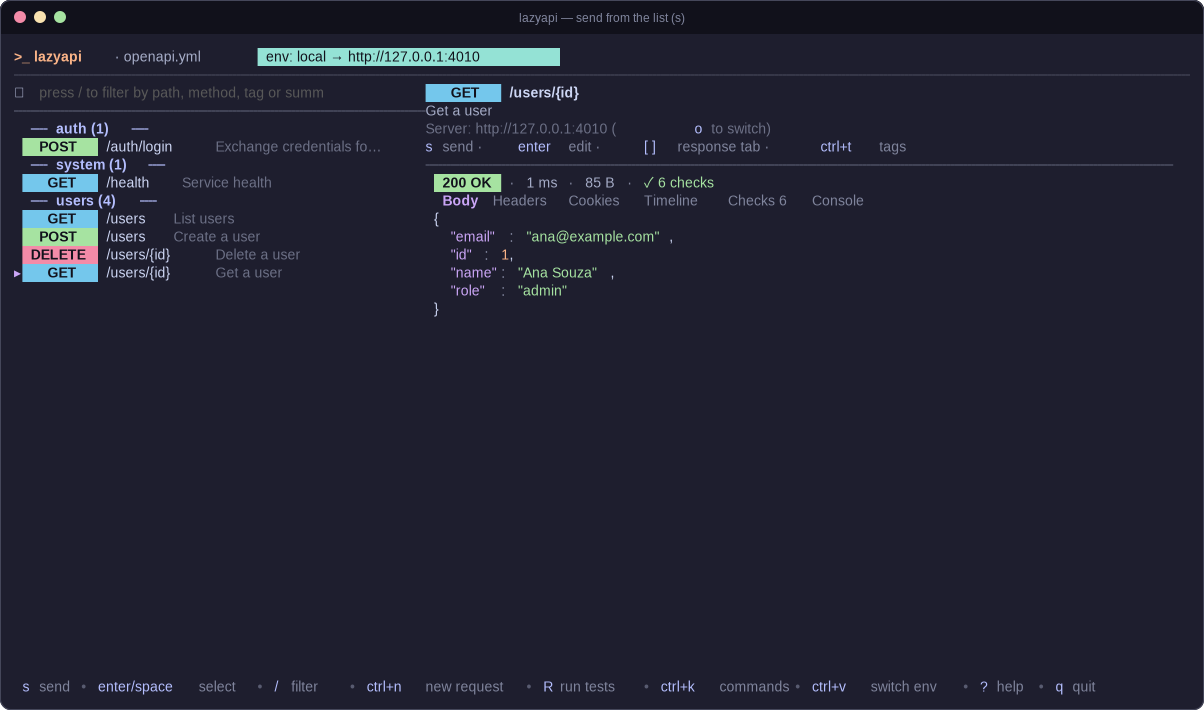
3. Explore in the TUI
bash
./lazyapi my-api.ymlNavigate the request list with j/k, open a request with Enter, edit details across the tabs (Params, Auth, Headers, Body), and press Enter on Send to execute.
4. Send from the CLI
bash
./lazyapi send request my-api.yml /users GETNext steps
- Browse the TUI guide for a full walkthrough
- Check the CLI reference for command details
- Read about authentication for auth setup