TUI: Terminal User Interface
The TUI is the default mode. Launch it with:
bash
./lazyapi
./lazyapi examples/openapi.yml        # Pre-load a spec
./lazyapi examples/openapi.yml --env .env  # With env file
Layout
The screen is divided into three areas: the title bar (spec and environment), the page and the help bar with the keys that work right now.
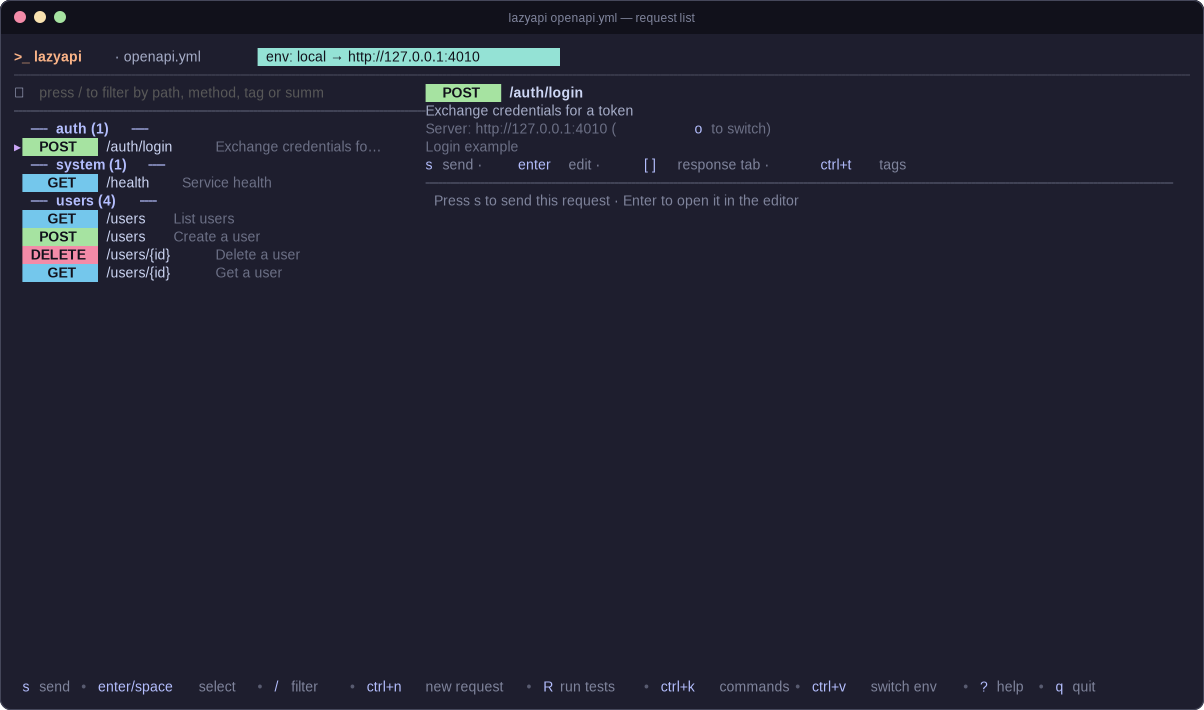
Pages
| Page | Description |
|---|---|
| Request List | Browse all operations from loaded specs |
| Request Editor | View and edit a single request, send it, see the response |
Switch between pages by opening a request (Enter) and closing it (Esc).
Navigation
Tab/Shift+Tab— cycle through fieldsEnter— select / openEsc— back / blurq— quit