Runner, Flows and History
Command palette
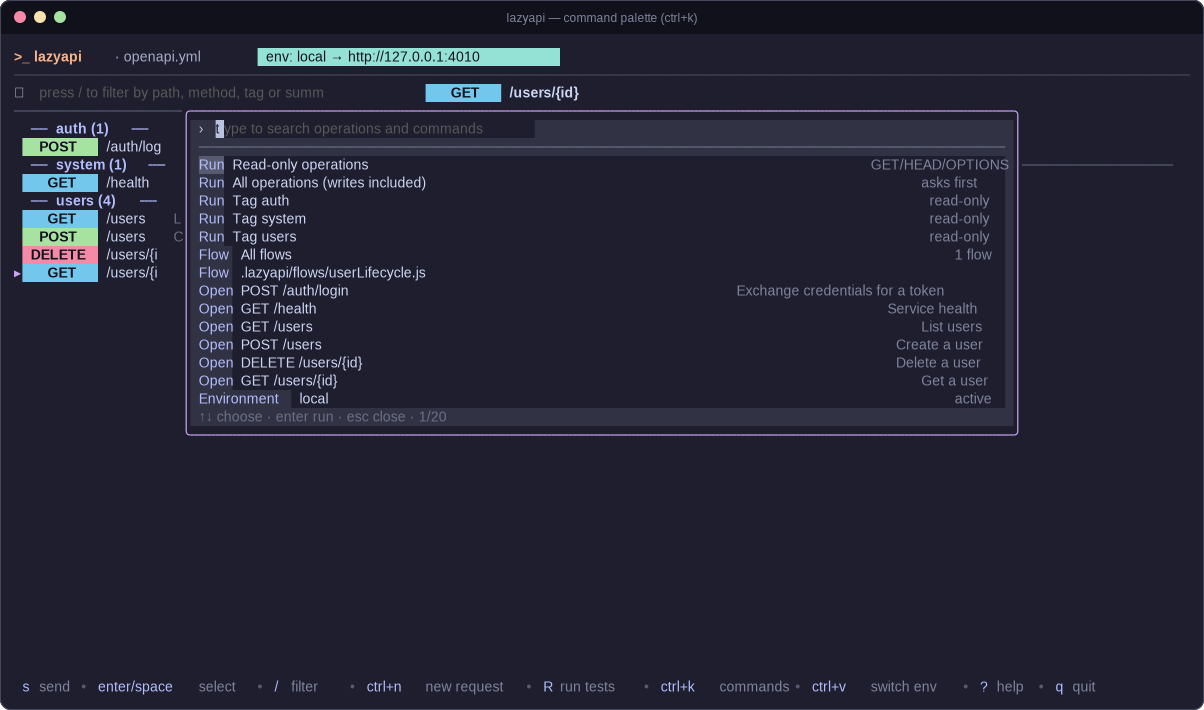
ctrl+k opens a fuzzy search over everything you can do: every operation (open it in the editor), test runs, flows, environments, the history and "copy as cURL". Type a few letters of each word, in any order (get users, flow life, env prod), then enter.
Runner
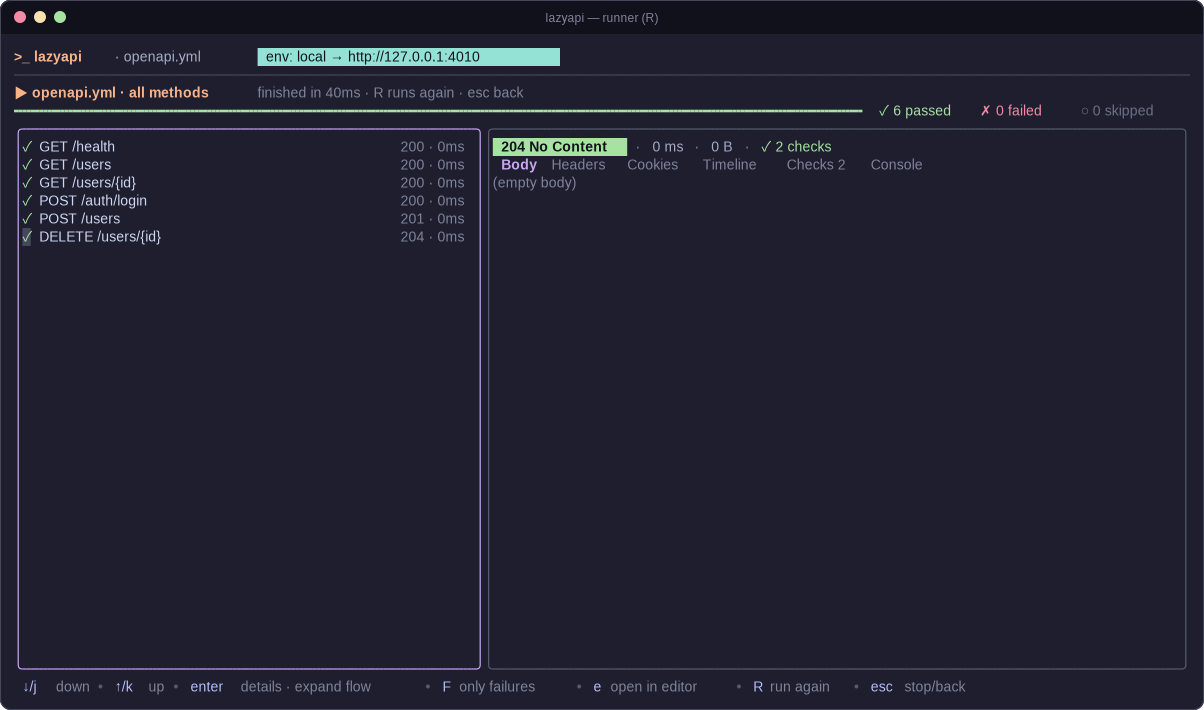
The runner runs operations and flows with the same engine as lazyapi run and shows results as they finish.
Rin the request list runs the spec's read-only operations (GET,HEAD,OPTIONS).- The palette also offers All operations (writes included), each Tag, All flows and each
.lazyapi/flows/*.js. Runs that may change data (every method, or flows) asky/Nfirst and show the environment they will use.
The header shows a progress bar and the passed / failed / skipped counts. When the run ends, the cursor jumps to the first failure. The right side is the response view of the selected result (status, body, checks, console, timeline), and for a flow it lists every request the flow sent. enter on a flow expands it into its steps (▸/▾): selecting a step shows that request, its response and its automatic checks (request, status, contract). F keeps only failures, e opens the operation in the editor, R runs again, esc stops a run in progress.
The run uses the active environment: its server, env file, vars, credentials and http: options.
Data files. The palette also lists the CSV files and JSON arrays next to the spec and in data/ (Data · .lazyapi/data/users.csv → read-only operations, → all operations, → flows). The run goes once per row, like run --data: results are labeled [#n], and the confirmation shows the number of rows.
History
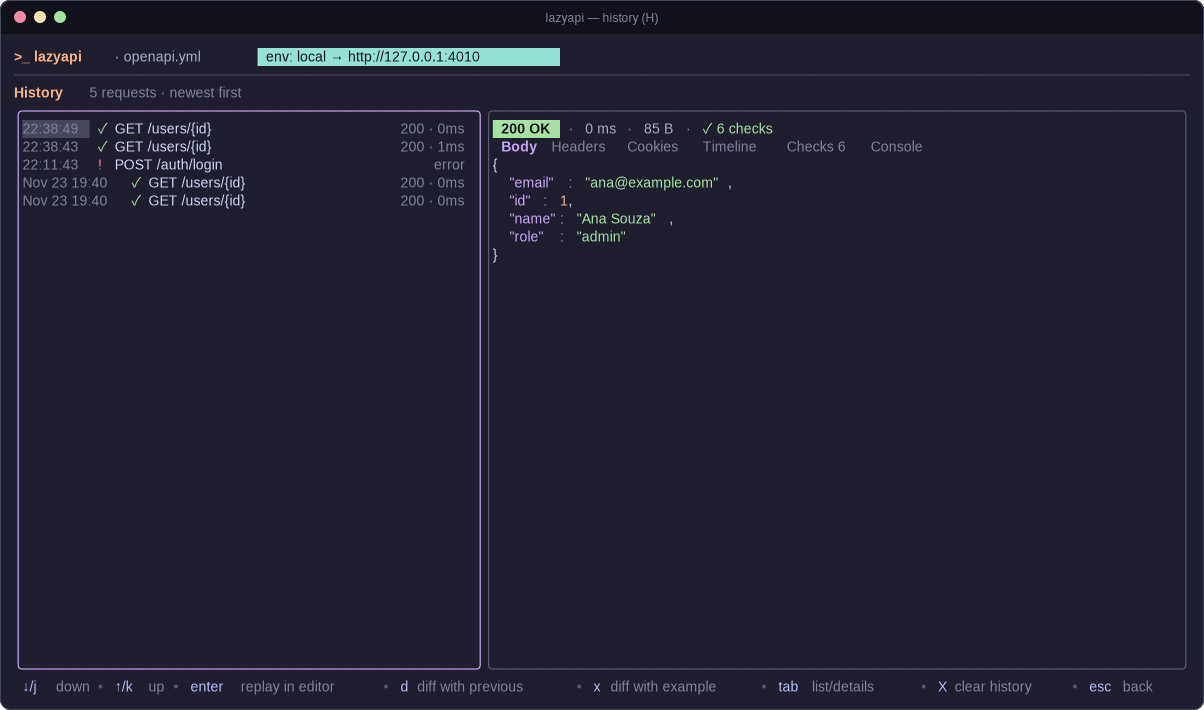
Every request sent from the TUI (list or editor) is recorded per spec. H in the list (or the palette) opens it, newest first.
enterreplays the request: it opens in the editor with the method, path, params, query, headers and body it was sent with, on top of the operation as the spec defines it.dcompares the response with the previous response of the same operation.xcompares it with the example saved in the spec for that status (ctrl+ein the editor saves one).
JSON bodies are compared with sorted keys, so only real changes show up.
What is stored
History lives in .lazyapi/.local/history.jsonl next to the spec (git-ignored; LAZYAPI_HISTORY_DIR moves it elsewhere), with the newest 200 requests and 0600 permissions. Credentials are not stored:
- environment values and auth secrets are never written;
- headers and query parameters that look like credentials (
Authorization,Cookie,*token*,*key*,*secret*,*password*) are redacted unless they are a plain{{env.X}}reference; - bodies are stored as written in the editor, so
{{env.PASSWORD}}stays a template; - console output and response cookies are dropped, and bodies over 256 KB are cut.
Replaying a redacted header uses the operation's current value. X in the history deletes it (after y). Set LAZYAPI_NO_HISTORY=1 to disable the history, or LAZYAPI_HISTORY_DIR to keep it somewhere else.